






Users interested in Google AI Studio want to know the answers to what is Google AI Studio, what are the features of Google AI Studio, is Google AI Studio free to use, and what type of applications can be created using Google AI Studio?
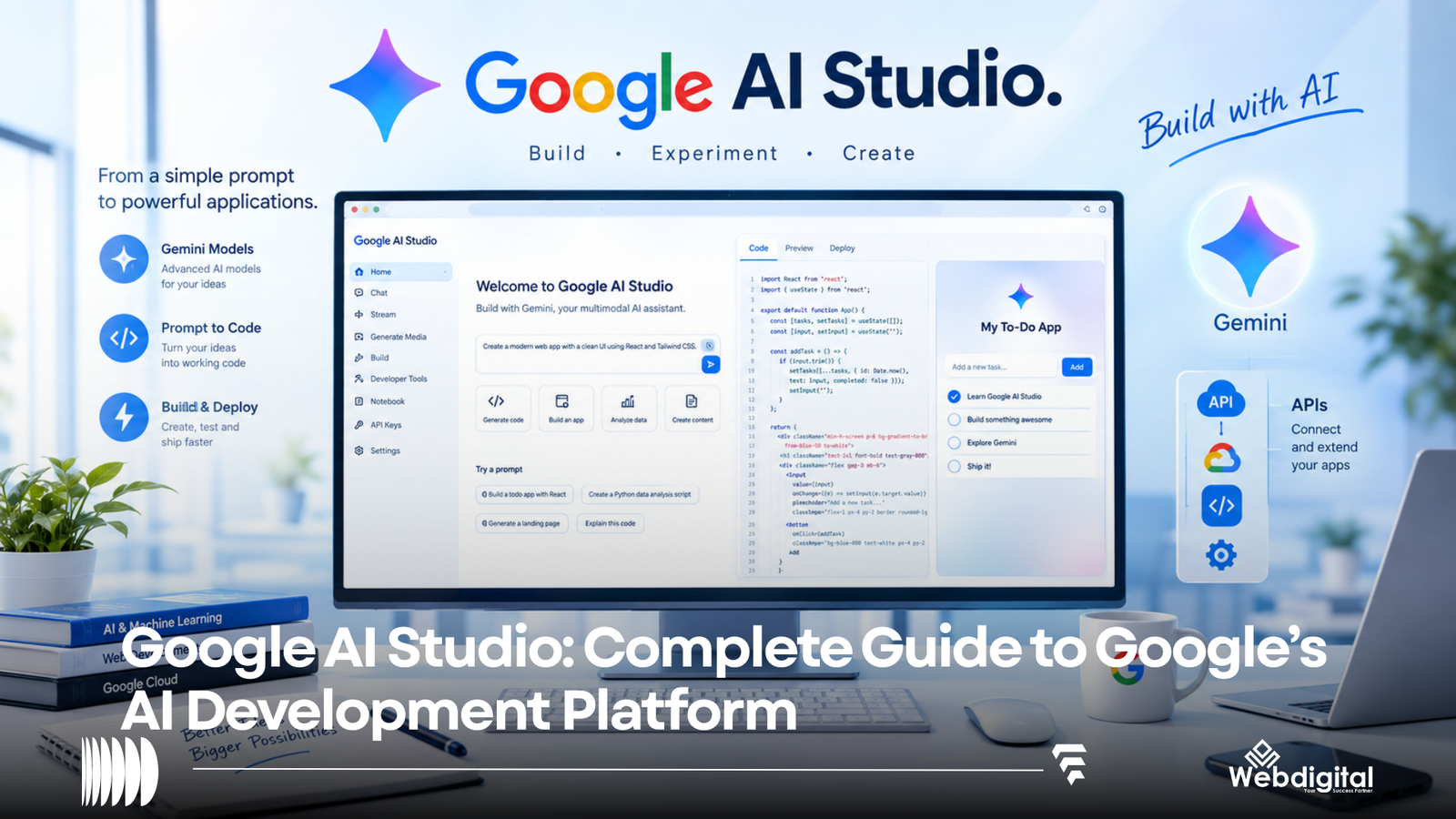
What is Google AI Studio? Google AI Studio is a browser-based application to develop applications using Google’s Gemini models. Google AI Studio provides users an opportunity to interact with models using prompts, experiment with various configurations of models, and receive an API key to integrate Gemini models to their applications. Additionally, Google AI Studio enables users to develop applications using prompts.
Google AI Studio is Google’s response to OpenAI’s DALL-E and otherGenerative Pre-trained Transformer 3 (GPT-3) based applications. However, Google AI Studio is more than a “prompt playground.” As of May 2023, Google AI Studio’s Build mode allows developers to create web applications and Android applications using prompts and integrates the generated applications with back-end services.
Google AI Studio is a model building and experimentation platform for developers, creators, students, researchers and other builders to use and experiment with Google’s Generative Experience in AI technology.
Some examples of activities are:
- Examining AI behavior
- Working with different inputs and outputs
- Utilizing conversation and prompts
- Testing and using StructuredOutput
- Function invocation
- Experimenting with Code
- Grounding
- Obtaining a Gemini API Key
- Generating Code
- Creating web and android applications
- Creating AI agents and workflows
What is Google AI Studio?
Google AI Studio is a tool for developing and testing AI in an integratable way.
Google AI Studio offers a platform that allows users to experiment and test AI in a manner that eliminates or dramatically reduces the amount of conventional AI development. This is especially beneficial to new and novice developers as they can quickly gain a better understanding of how AI development works without writing reams of code to experiment and test basic AI functionalities. More seasoned developers are also benefitted as AI Studio can reduce the conventional code writing needed to experiment with AI.
What is the Difference Between Google AI Studio and Gemini?
They are distinct offerings from Google.
Gemini offers an interactive narrative while AI Studio provides AI Development resources.
| Feature | Gemini App | Google AI Studio |
|---|---|---|
| General Purpose AI Assistant | Yes | Yes (for now) |
| Brainstorming and writing | Yes | Yes |
| Playing around with prompts | Limited | Deep focus |
| Developer controls | Limited | Flexible |
| Access to Gemini’s API | No | Yes |
| Interact with and test models | Limited | Yes |
| Check and evaluate Output | Not the primary function | Yes |
| Make calls to functions | Not the primary function | Yes |
| Create applications | Limited | Yes |
| Design apps | No | Yes |
| Create Apps | Not the primary function | Yes |
The most important thing to know is that you can use Google AI Studio to do anything you can do with Gemini, plus more.
Currently the most common use case for Google AI Studio is to:
- Use gemini to test prompts
Let’s say you want to make a piece of software that interprets product descriptions and returns the product name, category, benefits, and other info.
Using Gemini or Google AI Studio, you can write and test prompts such as “analyze the following product description and return the product name, category, benefits and who the product is for?”
The AI will respond with output from that description and you can test and train the AI to meet your standards.
- Make Chat Apps
AI Studio lets models have conversations by letting the model get multiple turns of input.
One example is having AI for customer support.
You could define the model with the following text:
I work as a customer support assistant. To respond to support requests for our product support, I should use simple support requests. If I don’t know the answer to a support requests, I should respond with “I don’t know.”
Of course you can always modify and extend the definitions to teach the model support requests to give better support.
- Work With Different Kinds of Inputs
Gemini models can work with different kinds of inputs other than text.
Depending on the capability of the model, other kinds of input can include:
- Text
- Images
- Videos
- Audio
- Documents
This can be used to develop apps to understand different kinds of inputs.
- Work With Predictable Outputs
Some applications need outputs in a structured format, for example, a file that contains a structured list of data.
A model can define a predictable output like this:
“John ordered a blue laptop for 75,000 rupees and wants it delivered on Friday.”
While defining a predictable output like this can be useful, writing code to structure the output can be more difficult.
- Call Functions
Some models can define and call functions. This can be useful to develop applications that access external services and tools.
Example prompts for a restaurant assistant could include:
“I need a table for four people for tomorrow at 7.”
In cases like these, the model would have to find the correct prompt to invoke the right function and/or provide the right arguments for the function to make a reservation.
Of course, the function still has to be defined by the developer.
- Grounding
External sources are sometimes required to answer questions.
Configuring the model can help integrate external sources to provide the required information.
- Code Generation
The AI Studio can help produce application code from samples based on the users’ inputs.
The Quickstart Workflow offered by Google provides users a way to generate application code from samples using the Gemini API.
This means users don’t have to completely construct an application from samples using the AI Studio interface.
What Is Google AI Studio Build Mode?
A large update to Google AI Studio is the addition of Build Mode.
Build Mode gives users the ability to create applications by describing the basic functionality in natural language.
For example, users can describe the basic functionality of an application to create a simple task management application by using natural language to describe the application.
Users don’t have to create application samples from scratch using the AI Studio interface to gain an understanding of the capability of the interface.
This flow is called “vibe coding” by Google.
What Does Build Mode Enable?
Google currently supports developing full-fledged web and Android applications.
Web applications can use various Google services, as well as other features.
Some features can be directly integrated into the web application, including:
- User Authentication
- Artificial Intelligence (AI)
- Interactive Dashboards
Web applications can also provision Firebase Firestore and Firebase Authentication.
Can Google AI Studio Create Android Apps?
As of 2026, Google AI Studio can create Android apps using natural language.
The Android App flow provides a generative project scaffold with architecture and a development environment.
Users can preview the Android app.
Users can download the app for further editing and development.
There are a number of constraints for the current version of Build Mode.
For example, while Firebase can be used for web apps, other server-side features cannot be used in Build Mode for Android apps.
How to Use Google AI Studio?
Google AI Studio provides users with an easy-to-use interface to quickly generate web applications and other products.
Users can sign in with their Google account, and then select the AI feature they would like to use.
You can:
- Examine prompts and responses in the conversation mode
- Generate text based on a given prompt
- Generate code snippets
- Develop a web or Android app
- Get a sample of the API code
Step 3: Write a Good Prompt
A good prompt explains the task and provides the context.
Bad Prompts
“Write an email”
Good Prompts
“Write a follow up email to a customer who requested a quote three days ago. Keep it concise (less than 120 words) and include a tone of urgency and a clear directive.”
Step 4: Change the Settings
AI Studio lets users modify the behavior of the model.
Other settings let users configure:
- call functions
- execute code
- create structures (e.g. tables)
Use grounding to reference real world objects
Step 5: Try Different Instructions
To get the best response to your instruction, compare the following:
- Accuracy and completeness
- Formatting
- Tone
- Length of the response
- Response to edge cases
Step 6: Get Code
Once you’ve integrated Gemini in your app, use the available code gen tools to automatically generate related code snippets.
Google says automatic generation of a project and API key enables new users to obtain API keys.
Users are instructed to follow the development process:
- Create a project in AI Studio
- Create/Test a Prompt
- Obtain an API Key
- Find an API Key code snippet
- Incorporate the code into a web application to integrate the Gemini API
Obtain an API Key only if you are creating a commercial application.
An API key provides access to protected features and services. Publishing the key allows unrestricted access to the protected features and services. The key must be secured.
No. Google charges a fee to access AI Studio.
Google provides a Free Tier that enables users to access a few models.
For higher quotas, capabilities, and production use cases, Google charges a fee.
Likewise, Google charges a fee to remove limitations from the Gemini API.
Limits may be expressed as:
- An overall cap on the number of requests in a given time period
- An overall cap on the number of requests in a time period that are allowed to utilize a particular model
- The number of requests that are permitted in a given time period
- The type and extent of usage that triggers a billing event
In partnership with the above, there is no cap on the number of models a user can access for free; however, a model may only be accessed a limited number of times. Each model may only be accessed a certain number of times, and beyond the allowed threshold, a billing event may be triggered.
Again, while Google charges a fee for many of its products and services, this does not mean there are no limits.
Pricing depends on:
- Use of input tokens vs. output tokens
- Caching
- Contextual consumption
- Batch processing
- Grounding
- Capabilities of the model
- Model-specific limitations
Due to the above factors, it is hard to answer the question “How much does Google AI Studio cost?”Except for a small experimental prompt (which is likely free under the tiered pricing plan), an application could incur costs, for example, through the use of large models and high volume requests.
A good approximation of potential costs for an application that involves the use of AI is to determine the expected number of users and the average number of tokens that will be consumed per user request.
Google AI Studio is a powerful tool for a variety of tasks.
Examples include the creation of AI chatbots, and tools to assist with content creation such as helping with social media and email posts, summarization, and content creation. It can help with analysis of documents and forms. It can help with classification of documents and other images. It can assist with development of coding assistants and otherdebugging tools. It can help with financial document and invoice processing and analysis of other documents. It can also help with image analysis and classification.
Prototypes can be quickly developed using the tool. It has many benefits for developers because it can help with idea validation. It can assist with development of coding assistants, and other integration tools.
Customer Support Bot
Respond to FAQs, using relevant information provided by the user. If you cannot provide an answer, tell the user you need additional information to answer the question.
Data Extraction
Given a document, return a customer’s name, order number, the item(s) ordered, the price, and the estimated time of delivery. Represent your answer in the format provided.
App Development
Write code to develop a web application which allows users to create an account and manage tasks. The application should allow users to set a due date for each task and offer the ability to search for or filter tasks by due date. The application should be designed in a way which supports different mobile devices and have a clean and simple user interface.
Explanation of Photosynthesis
Explain Photosynthesis to the user in a manner which uses no more than five sentences and includes at least one analogy. Provide the user with a set of questions to check your understanding.
Limitations of Google AI Studio
AI Studio lets users create applications rapidly, but writing software and engineering solutions require more skills and effort than using AI Studio.
Generated Code
Code generated by AI Studio may contain various issues including security vulnerabilities, bugs, and assumptions which are incorrect.
Rapidly Evolving Technology
The AI Studio interface, price and features changes over time. Instructions published a few months ago may be out-of-date.
Constraints
Although Google provides some AI features for free, high usage may require a subscription.
Differences between Android and Web Development in AI Studio
There are functions in the web Build mode of AI Studio that are not present in the native Android mode. Understanding these functions will help when making architectural decisions.
AI Will Not Alter Product Planning
Though it may be possible for AI to create a component of a product, one must still consider numerous other aspects of the product, such as:
- how a product will be secured?
- will the product be privacy-compliant?
- how will the product be accessed?
- how will the product be stored?
- how will the product perform?
- how will the product be tested?
- how will the product be made available to end-users?
- how will the product be maintained?
- will the product be created using reliable, mobile AI?
Though AI may create a component of a product, there are still numerous responsibilities that will remain with a product planner.
Best Practices for using Google AI Studio
- Begin with a Simple Application
When using AI to create an application, don’t expect it to create a complex application with numerous features, and be surprised if it gives unexpected results.
A simple application may be something like “Build a simple customer contact form.”
- Be Specific
- Anticipate Edge Cases
- Protect Private Data
- Analyze Anticipated Usage
A card may be charged for use once expected usage increases.
- Verify AI Responses
Design processes and procedures to validate and verify important information throughout the process.
AI models can sometimes generate incorrect answers and still manage to fool humans into believing they are correct.
Who Can Use Google AI Studio?
Students, teachers, and researchers can benefit from Google AI Studio to quickly test programming concepts and applications relating to generative AI, structured outputs and prompts.
Like other generative AI sandboxes, Google AI Studio provides prototyping and prompt testing environments. Start-ups can quickly build MVPs (minimum viable products) based on potential AI products.
What are the Benefits of Google AI Studio?
Google AI Studio offers a web-based environment where individuals can experiment and prototype AI applications without writing code, similar to the Gemini app. Whereas the Gemini app provides a convenient consumer interface to interact with a chatbot and complete everyday tasks, Google AI Studio is better suited to perform tasks such as software prototyping and structured workflows.
Google AI Studio focuses on software development and AI applications, while Gemini is more consumer-facing. Determining which application to use depends on the goals of the user.
Google AI Studio and the Future of AI Programming
Google AI Studio wants developers to stop thinking of programming as a means to an end and more as a way to give concrete shape to an abstract idea.
Compared to the conventional programming model where one had to write a lot of code to get a minimal working product, recent advancements in the field of AI programming have made it easier to configure an Artificial General Intelligence (AGI) system by writing comparatively less code.
Rather, developers can express their intentions to the AI system in natural language and review the system implementation and output. Based on the output and intentions expressed, developers further instruct the system to implement changes using higher level programming commands.
In summary, because of the rapid pace of development of AI systems, software engineers’ role is becoming more than coding. Engineers will also have to:
- Review implementations and behaviors generated by the AI systems to ensure they implement the software engineer’s design and intent.
- Manage risks and bugs introduced by the AI system.
- Validate the system behave in a socially responsible manner.
- Design system architectures and implementation to make the systems efficient.
Google AI Studio FAQ
What is Google AI Studio?
Google AI Studio is a web application provided by Google that lets users test and experiment with various artificial intelligence (AI) models developed by Google, called Gemini models. With Google AI Studio, users can write codes to build AI-based applications.
Is Google AI Studio free?
Google provides a free version of Google AI Studio, but users can only access a limited number of AI models and can only test a defined number of queries with the models. For extended use and for other production purposes, users have to purchase a higher plan offered by Google.
Is Google AI Studio identical to Gemini?
No, Gemini is a broader AI model and assistant framework developed by Google. Google AI Studio is a framework provided by Google to developer users to experiment and build applications using the Gemini models developed by Google.
Can users build applications with Google AI Studio?
Yes, users can build applications with Google AI Studio. The framework offers users a mode called Build. Using this mode, users can write queries in a natural language to build web applications and full-fledged applications. Google AI Studio can build and generate code for Android applications as well.
Does Google AI Studio issue an API key?
Yes, Google AI Studio provides a mechanism to issue users an API key for the Gemini API.
Are programming skills required to use Google AI Studio?
Not really, users can test queries with the AI models provided by Google AI Studio without the need to know any computer programming skills. However, for more advanced applications, a user has to have skills in programming.
Does Google AI Studio build Android applications?
Yes, the Build mode of Google AI Studio can generate Android applications in the Kotlin programming language with the framework, Google Jetpack. Compared to the full-fledged web applications, Android applications have a set of restrictions.
Can Google AI Studio Create Full Stack Apps?
At this point in its development, Google AI Studio can create full stack apps. Its Build mode allows developers to create server side code and integrates Firebase for supported projects.
Is Google AI Studio Ready for Primetime?
With the limitations mentioned above, Google AI Studio is ready for some aspects of development such as code generation and prototyping. Code generated by AI Studio, like any other generative AI, should be tested and reviewed by a human developer for potential security and legal risks.
Last Thoughts
Google AI Studio is an extension of Google’s previous work with generative AI, and is prepared for more advanced code and app generation.
Because AI Studio is integrated with Gemini, users can prompt AI to create code or create apps with little to no code. The prompt feature allows users to generate code with little to no programming knowledge. For more advanced coding, AI Studio allows users to write code and generate apps using natural language.
For programmers, the studio allows for rapid app development and prototyping. For non-programmers, the studio facilitates code generation for apps.
While using the tools integrated with AI Studio, developers must keep in mind to verify the code and apps generated by AI for legal and security risks.