






You may have come across terms such as Google AI, DeepMind, Gemini, AI Mode, AI features in Google products and services, Google AI Studio, Google AI Platform and more on your search for Google AI.
What does Google AI consist of?
Google AI encompasses a suite of products and services built on artificial intelligence by Google and Google DeepMind. It includes services and products used by the general public (Gemini, Google Search, Mamba), embedded in other services (Gmail, Docs, Android, Google Workspace, etc.) and developer tools (Google AI Studio and API). Furthermore, it includes models and research by Google DeepMind.
In effect, Google AI encompasses a wide range of products and services.
In brief, if you wish to write or have conversations, you can use Gemini. If you need to conduct web research, you can use Google AI Search. For research and related activities, you can use Gemini Notebook. If you wish to incorporate Gemini models and services in your applications, you can use Google AI Studio and the Gemini API.
What is Google AI?
Google AI encompasses various AI products and services offered by Google.
It has a variety of offerings:
AI Assistants: Gemini
AI Search: AI Overviews and AI Mode
Knowledge and Research: Gemini Notebook
Developer: Google AI Studio and Gemini API
AI Technology: Google DeepMind
AI in the Workplace: Gemini for Google Workspace
AI for Android and other Google Devices
Creative AI: Image, Video and other Generative AIs
Google DeepMind places Gemini along other domain-specific AIs (e.g. Audibility AI, Video AI and others) and open-ended AIs (e.g. Gemma). DeepMind
Therefore, the person searching “Google AI” can be searching for several unrelated things.
What is Gemini? What is Google AI?
This is the most well-known case of such ambiguity.
Google AI encompasses everything.
Gemini is one of the many AI products and models.
To put it in more understandable terms, Google AI is like the ecosystem and everything within it.
Gemini is like the central AI model and assistant within that ecosystem.
The Gemini app is Google’s general purpose AI assistant. According to Google, Gemini can assist with tasks like planning, writing, learning, and others. Google provides the Gemini app within some Google Services and Devices. Google Help
According to Google DeepMind, Gemini encompasses consumer-facing AIs (e.g. AI Mode and AI Notebook) and other development AIs and APIs. DeepMind
Some of the main Google AI products and services are:
1. Gemini
You can utilize Gemini to:
- Draft and edit content
- Generate ideas
- Distill and explain abstract concepts
- Develop study and learning plans
- Develop action plans
- Take and organize discussion and meeting notes
- Understand and interpret code
- Conduct research
- Communicate and interact with others
- Develop work of an artistic or creative nature
These are just a few of the ways in which you can utilize this software. In addition to the functionality listed above, Google’s Version of Gemini offers access to features such as Gemini Live, Deep Research, Canvas, Gems, and tools for generating and editing images, based on your region, plan, and membership level.
Example
Traditionally, you might have searched something like the following:
“Digital marketing plan sample”
If you were to utilize Gemini, you might ask something similar to the following:
“Prepare a digital marketing plan sample with focus on the first 30 days and the elements of the plan related to SEO, social and content.”
You might also be able to obtain additional information and prompts to edit the response to your satisfaction.
2. Google Search
Google provides access to similar technology through its AI Mode in Google Search.
For example:
Traditional:
User enters: “Best places to visit in Delhi”
User enters: “Best time to visit Delhi”
User enters: “Delhi attractions for families”
AI Mode:
“I will be visiting Delhi with my family for 3 days. What should we do?”
User gets prompt to “Make that itinerary less crowded.”
User gets prompt to “Add cheap or inexpensive places to eat.”
Coming up with and carrying out these prompts takes less effort when you’re having a conversation.
AI Mode allows Google to use technology similar to Bard to understand and break down longer, more complicated questions to provide better search results.
AI Mode is similar to AI Generated Search Results, but not the same.
According to Google, AI Generated Search Results are summaries of a topic, and while they are created using AI, they provide results and links to other sites. These results help users “understand a concept quickly” and “find relevant content.” These results may change over time.
Google is connecting both of these results more. For example, users may find follow-up conversations based on search results generated using artificial intelligence.
Google’s NotebookLM has been discontinued. It is now called Gemini Notebook.
According to Google, it is a research and intellectual tool that is available to the public for integrating information and sources. Google Drive has recently merged Gemini with several other apps. Here are the details in the Google post.
Some of the main uses of the app are:
- Conducting research
- Utilizing resources
- Structuring data
- Writing or drafting reports
- Detecting or establishing connections with sources
- Producing or creating research
- Examining or reviewing data
Google also mentioned that the same functionality would be released for Gemini Notebooks as well.
The main question to ask yourself is, ‘is the information I need to complete my task connected to a set of sources that I must analyze and interpret, as opposed to a set of information that I can easily find the answer to by asking a general purpose chatbot’?
Let’s say you have a set of research documents, how would you like Gemini Notebook to compare and contrast those documents for you?
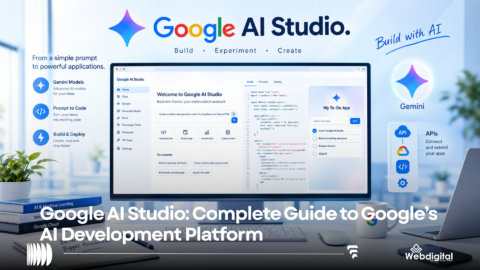
5. Google AI Studio
In the case that Gemini is of little to no use to you, Google AI Studio is of greater use to you to create or modify artificial intelligence applications.
As stated by Google, AI Studio is a faster way to create applications using the Gemini APIs. Google AI for Developers
Users can:
- Create applications using Gemini models.
- Edit prompts.
- Generate code.
- Use and edit multimodal inputs.
- Apply and adjust model settings.
The AI Studio documentation states that the resources and features provided enhance the development of applications in several ways, such as structured output, function calling, code generation and execution, and grounding. Google AI for Developers
An example of this can be seen in the development of a chatbot using Gemini. As stated in the documentation, to achieve this, the developer would provide the model information about the company and products, as well as documentation about answering customer questions. After providing the model with the above information, the developer can use the Gemini API to further create and train the chatbot.
The Gemini APIs enable developers to incorporate Google’s conversational AI models into their applications.
For example, developers can create:
- AI chat apps.
- Coding assistant apps.
- Moderation and analysis apps.
- Search and retrieval apps.
Google AI Studio allows users to interact with and use the Gemini models to create applications. Google AI for Developers
Google DeepMind is Google’s research and model development area of interest in artificial intelligence.
DeepMind has expanded Gemini to encompass a range of other technologies including
- Robotics
- Audio
- Video
- Music
- Image and other generative models
- Scientific research
In addition to Gemini, DeepMind has developed Gemini Audio, Gemini Omni, Veo, Lyria and other robotic systems. DeepMind
Understanding this level of DeepMind’s work demonstrates why Google’s investments in generative AI extend beyond chatbots.
8. Google AI for Work
As with personal use, Google is integrating AI into its workplace tools.
Google’s productivity tools, including Gmail, Docs, Sheets and Slides, make use of AI to assist with a range of tasks from email writing to presentation creation. Google
An example workflow might include
- Using AI in Gmail to create a customer email
- Writing a proposal using AI in Google Docs
- Analyzing sales data using AI in Google Sheets
- Using AI in Google Meet to take notes
- Using the AI Workspace Studio to automate the workflows in step 1-3
Google Workspace provides users with AI-powered automation for a range of common work activities. Google Workspace
9. AI on Android
The Google Pixel 7 and other Android devices have AI tools powered by Gemini and other Google AI technologies. Google Help
Based on device location and settings, users can engage AI through speech, text, and various visual inputs. Google Help
The AI on Android can help with tasks like planning, composing, and using connected Google apps. Google Help
Away from the browser, Google AI is increasingly pervasive.
Google AI has widespread use cases in personal and professional situations.
Students can use AI to do the following:
- Simplify complex topics
- Prepare studying schedules
- Synthesize lectures
- Make up practice questions
- Develop project ideas
- Interpret academic materials
AI is very useful for students. However, it is important for students to cross-check the explanations with trustworthy sources, especially in academic situations.
Business people can use AI to do the following:
- Write Emails
- Summarize Meetings
- Edit and Proofread Documents
- Generate Ideas
- Analyze Data
- Develop Products
- Assist Customers
- Automate Processes
- Create Prototypes
Productivity and Workflow Automation are the key focus areas for the Google AI integrations available in Google Workspace. Google Workspace
AI integrations are available for developers to build applications. Developers can use the Google AI Platform to integrate AI in their applications. Developers can use the Google AI Platform to build End-User Applications and Services. Google AI Platform
Google’s AI can produce the following contents:
- Text
- Images
- Videos
- Audios
Google’s AI can produce creative ideas. DeepMind
Google AI is free for personal use. Certain Google AI capabilities are available for free. Other functionalities cost money.
As another example, the Google India Gemini page currently offers the Google AI Plus, Google AI Pro, and Google AI Ultra plans. Each plan limits usage and differ from one another.
The plans and features change over time.
Therefore, the best thing to do before making a selection is to visit the Google plan pages to view the features that interest you.
It’s best not to assume that all the Google AI features are available at a given feature level.
Google AI features are released gradually and some may not even be available for the general public.
You don’t have to learn Google AI features all at once.
- To begin, use the feature Gemini for general tasks, writing, planning, learning and brain storming. Google
- For following up on a topic, use Google AI mode. To initiate a new search, click the microphone button. Google Search
- Use Gemini Notebook for research and/or writing by integrating several sources. Google
- If you are a software developer, test Google AI Studio for various interactive prompts. Google
- If you are a business user, contact Google to learn how to incorporate Google AI in your business workflow. Google
| Platform | Core Strength/Use Case |
|---|---|
| Google AI (e.g. Gemini) | Integrates Google Search and other Google services across various devices powered by Android and Chrome. |
| ChatGPT | Generates text through conversational prompts. |
| Claude | Writes code and explanations for coding prompts. |
| Perplexity | Answers online queries and searches. |
| Copilot | Creates texts, codes and drawings. |
It is important to look at the ecosystems of each AI.
Someone who uses the Google suite and Android might find Google AI throughout by looking in the right places.
To get better results from Google AI, tell it exactly what you want, preferably by including an example.
Unhelpful Prompt:
“What is SEO?”
Helpful Prompt:
“Write a 1,000 word beginner’s guide on SEO. Be sure to include examples and provide a glossary. Avoid using unsubstantiated claims or statistics.”
Making proper use of constraints in prompts can improve results.
For example, if you tell Google AI to “imagine you are a X” where X is some profession, the results can be useful.
While Google AI is very helpful, keep in mind that it can be wrong.
According to Google, users should view generated information as a starting point and check sources to verify accuracy, especially for personal or professional decisions. Google Help
Google also states that using Google Search to find information and using AI Mode for tasks like planning will still require users to make decisions and ensure generated steps are accurate. Google Search – A new kind of help
Here are some general tips:
- Look at the original, unedited data.
- Compare multiple data sources.
- Cross-check the date the data was gathered.
- Just because an AI generates a citation for a claim, does not mean the claim is accurate.
- Be cautious about the data and personal information you enter.
You should use your best judgment about the data and the AI’s capabilities for important decisions, especially for legal, financial and medical matters.
What is Google’s Approach to AI?
Google is pursuing a strategy to integrate AI throughout its products for research, search, editing and other tasks rather than developing a single AI chatbot.
Google recently announced it would further integrate AI into its product offerings, especially for research and search. Google Blog
Google is also improving Gemini to facilitate interactions between Apps and data sources. Google Help
Ultimately, Google is investing in developing an interconnected AI network throughout its products.
Is Google AI the same thing as Gemini?
Google AI is the broad umbrella under which all of Google’s AI work falls. Gemini is a collection of models and assistants within Google AI.
Is Google Gemini free?
While access to Google Gemini is free, users interested in additional features and higher usage limits can find them in paid plans. No features or functionalities are guaranteed, and availability may vary. Learn more about Gemini.
What is Google AI Studio?
Google AI Studio is an online application where users can write prompts and test Google’s large language models. They can also build applications with the Google Gemini Application Programming Interfaces (API). Learn more about Google AI for Developers.
What is Google AI Mode?
AI Mode, or AI Search, is a feature in Google’s web search that allows users to ask Google questions the same way they would ask another person. This mode also allows users to make follow-up questions to the previous prompts. Learn more about Google Search.
What is happening with NotebookLM?
NotebookLM is a natural language processing model developed by Google. In July 2026, Google announced they would integrate NotebookLM more closely with their services and rename it Gemini Notebook. Google Blog.
Can Google’s AI generate pictures and movies?
As of now, Google’s AIs are not able to generate movies or pictures. Google has released several AIs that can generate different types of text and are part of their Google Research App. Availability may vary depending on the region. Learn more about DeepMind.
Can users build applications with Google AI?
Yes. Users can test prompts and explore Google AIs in Google AI Studio. To use the Google AIs in their applications, users have to use the Google Gemini APIs. More information about Google AI for Developers.
Is Google AI always correct?
Google AIs can give answers to questions; however, this does not mean the answers are always correct. Google says that it is important for users to cross check answers before making decisions that may impact other people. Google Support.
Google AI is more than a chatbot. It may seem like Google is releasing a new chatbot every month, however, this is not the case and Google’s AIs are very powerful.
It is an expanding ecosystem including Gemini, AI Overviews, AI Mode, Gemini Notebook, Google AI Studio, Gemini API, Google Workspace, and Google DeepMind.
Gemini offers many entry points. Use AI Mode in Gemini for Search. For more in-depth research and source-based work, use Gemini Notebook. For developers, use Google AI Studio and Gemini API.
The main difference between the Google AI products is their focus. You should choose the Google AI product based on your goal. It is not useful to treat all Google AI products equally.